





To make a Twitter (X) thread, write your first post, tap the + in the composer to add the next one, keep adding posts until the idea is complete, then tap Post all. Each post has its own 280-character limit. You can also add to a thread later from the thread itself, with "Add another post".
The short version: open the composer, write post one, tap +, write post two, and repeat; X shows the + once the current post has text. Make the first post work on its own, because in the feed a thread of four or more posts is folded behind "Show this thread". Number your posts if the order matters, keep one point per post, and count by X's rules: links are 23 characters and emoji count as 2.
How do you make a thread on Twitter (X)?
These are the steps from X's own help page, the same on iOS, Android and desktop:
- Tap or click the compose icon and write your first post.
- Tap the + icon to add the next post. It lights up once you have typed something.
- Keep adding posts. If one runs over the limit, X highlights the extra text so you can trim it.
- Delete a single post with its grey delete icon, or the whole draft with the blue one.
- Tap Post all. The posts go out together, joined into one thread.
Not ready to publish? Tap the delete icon and choose to save the draft. Thread drafts show how many posts they hold, so you can find them again.
How do you add to a thread you already posted?
Open the thread and tap Add another post; only the author sees that prompt. Or tap compose, pull down from the compose window and choose Continue thread to add to your last post. To add to an older post instead, choose Select another post.
How long can each post in a thread be?
280 characters for most accounts, counted by weight: a link counts as 23 whatever its length, and emoji and Chinese, Japanese or Korean characters count as 2. Paste each post into our Twitter character counter to see the count X will use, or write the whole thing as one long post and let the thread maker split it at sentence breaks and number each part.
How do people see your thread?
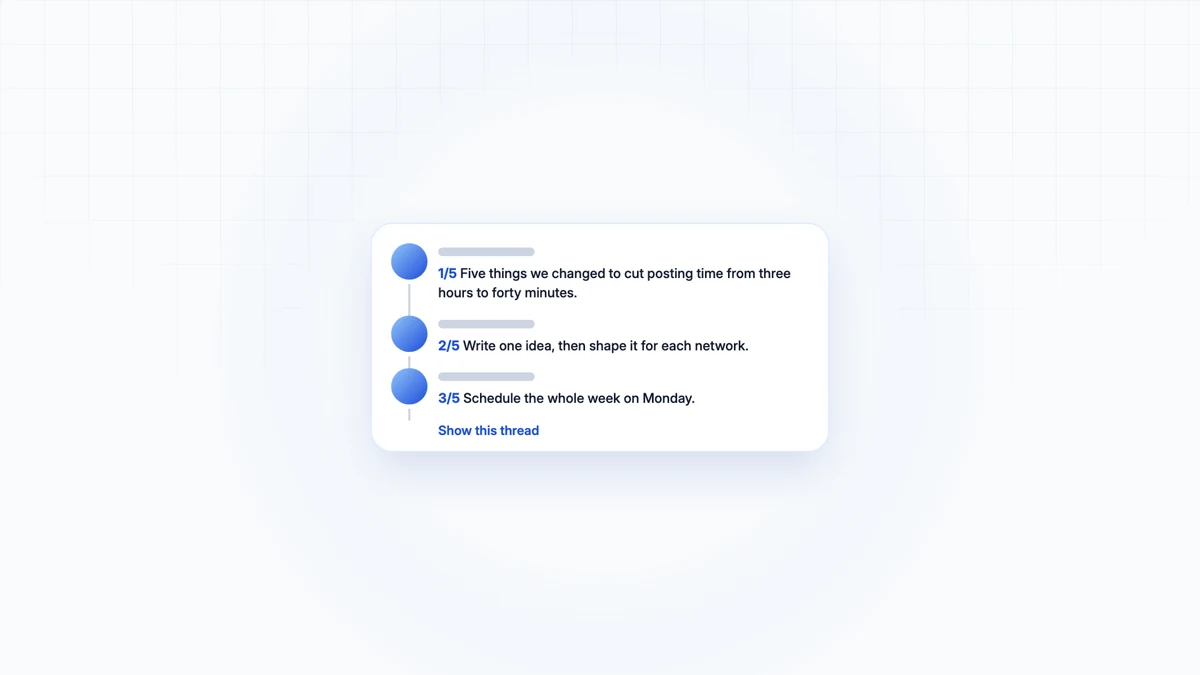
In the home timeline, a thread of 2 or 3 posts usually appears as a joined bundle. With 4 or more, X folds the rest behind Show this thread. On your profile each post appears separately, each with a Show this thread link. That fold is why the first post matters more than any other: for most readers it is the whole thread unless it earns the tap.
How to write a thread people finish
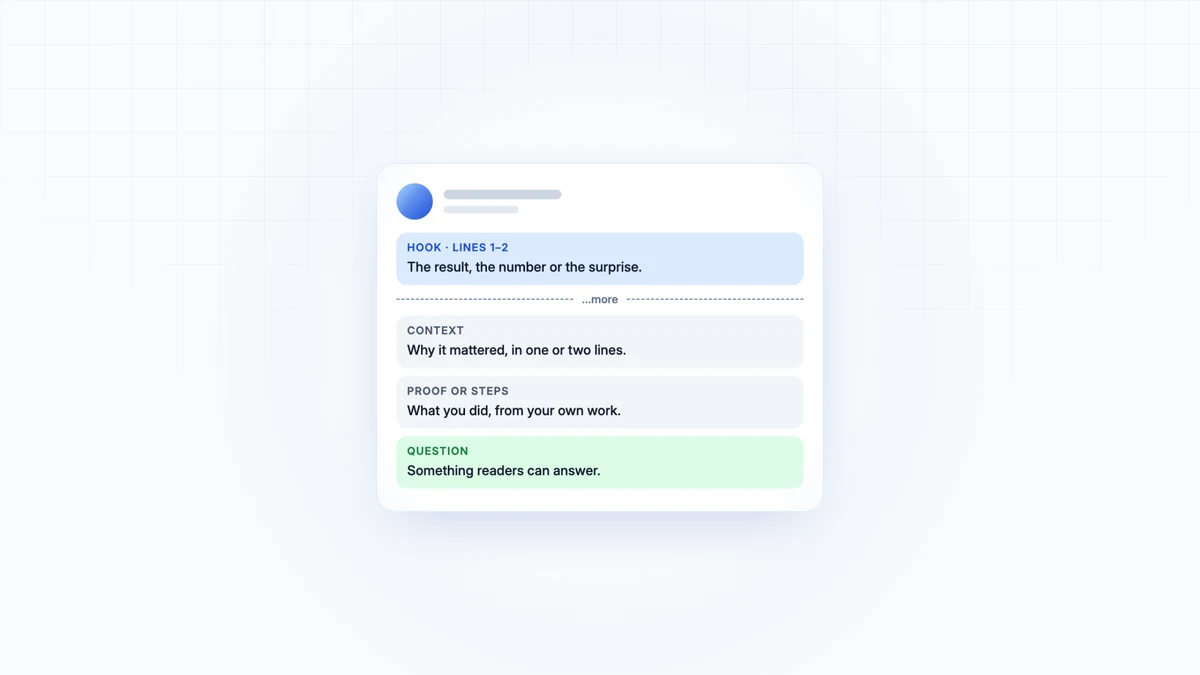
- Make post one stand alone. State the result or the claim, and say what the thread delivers: "Five things we changed to cut posting time from three hours to forty minutes."
- One point per post. If a post needs "and also", split it.
- Number the posts when order matters. "1/5" tells readers how long the commitment is.
- Put links at the end. A link costs 23 characters wherever it sits; in the last post it does not interrupt the argument.
- End with what to do next: a question, the link, or the one thing to try first.
Can you schedule a thread on X?
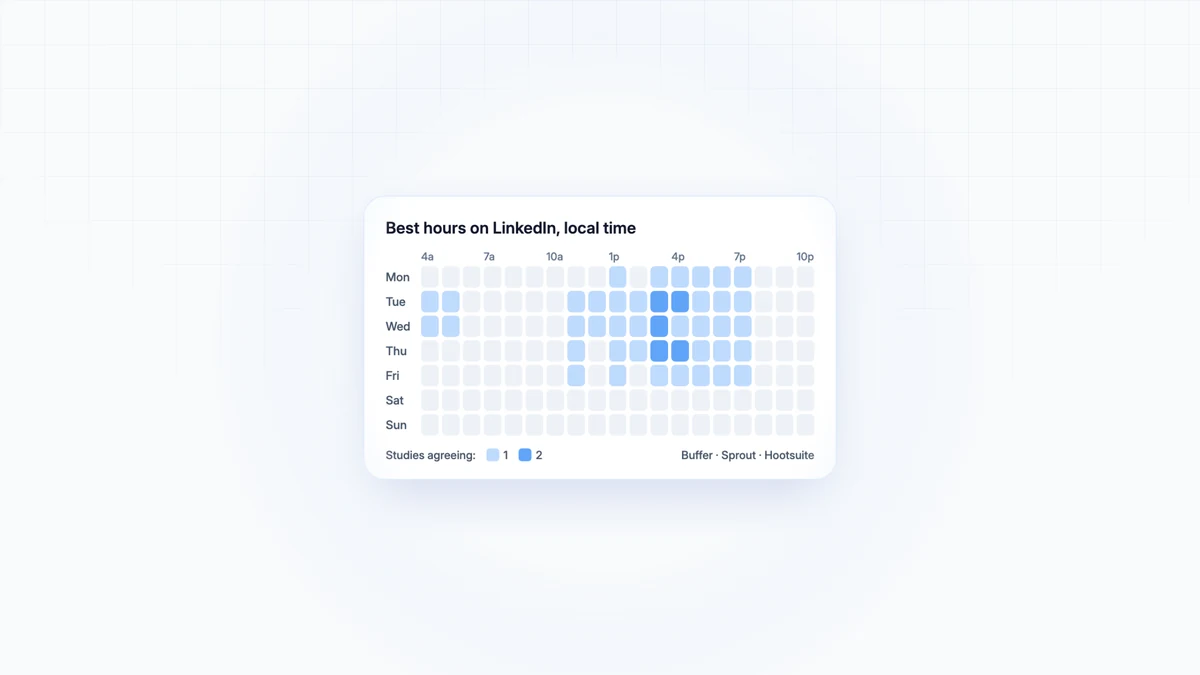
New to threads? How to make a Twitter thread covers the basics. Yes, with a scheduling tool that supports threads, or in X Pro where your account has it. How to schedule posts on X covers both, and the best time to post on X compares three studies on when to send it.
Start with the post you would send alone
Write the one post you would send if you could only send one. If it is strong, the thread underneath it is the explanation. If it is not, no number of posts below it will help.

Let your agent write the next one in your voice
Skryvo drafts each post in your saved voice and publishes it after your go-ahead. Free to start.